
Account Information
Adobe Campaign features
Email Creation
If you create or code emails yourself, or if you work with
partners and agencies If you're collaborating, you can create engaging, personalized, and responsive emails
in a variety of ways. You can craft.
partners and agencies If you're collaborating, you can create engaging, personalized, and responsive emails
in a variety of ways. You can craft.
Benefits for all users
To meet customer expectations, in addition to eye-catching email subject lines and basic personalization elements, you need to provide messages that add real value to your customers' lives. To do this, marketers need the flexibility and tools to design emails that will appeal to customers on any screen.
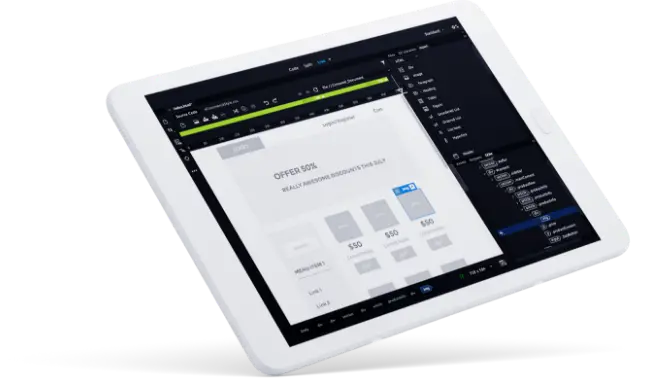
You can customize existing email templates that are compatible on both web and mobile, or use Adobe Campaign's new email designer to create emails without writing a single line of code. If you want to create your own template from scratch, you can import it directly from the URL into Adobe Campaign, or take advantage of the integration with Dreamweaver to seamlessly display your code in the email designer.
You can customize existing email templates that are compatible on both web and mobile, or use Adobe Campaign's new email designer to create emails without writing a single line of code. If you want to create your own template from scratch, you can import it directly from the URL into Adobe Campaign, or take advantage of the integration with Dreamweaver to seamlessly display your code in the email designer.
Key features
Email Designer (new) Creates personalized emails visually one by one from scratch or uses customizable templates and content fragments without writing code. You can do this by dragging the fragment from Adobe Campaign and dropping it into the email editor.
Email Templates
You can save time by auto-filling HTML content, customers, and delivery parameters, create future marketing efforts, and customize templates according to your needs.
Manage
email assets
Store, manage, and reuse email assets in Adobe Campaign. You can import HTML files via URLs, use Adobe Experience Cloud Assets core services, and integrate Adobe Campaign with Adobe Experience Manager.
Dreamweaver CC Integration
You can also seamlessly sync content when editing Adobe Campaign emails and applying changes in Dreamweaver CC.
Deliver creative email experiences
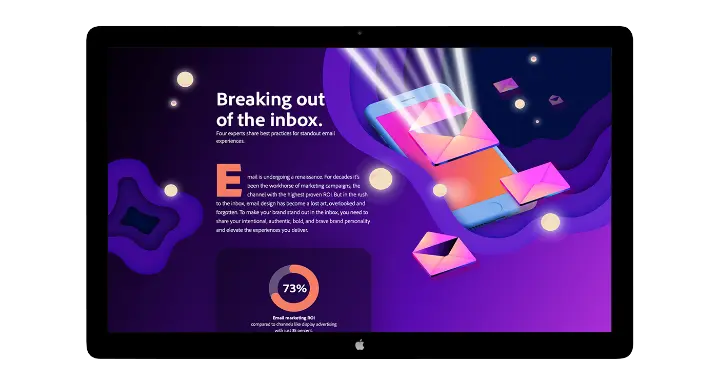
Through interviews with experts, we learned 6 ways to send creative emails to customers and add value to the email experience.
Email Design Integration
To learn how to create emails in Dreamweaver and automatically sync them with Adobe Campaign, see the Adobe documentation.
Try the power of Adobe Campaign for yourself.
See how Adobe Campaign can help.