Use the easy features of Experience Manager Sites to deliver the content your customers want
Easily create, manage, and deliver. Omnichannel content management for all digital
Elevate your content at the touchpoint.
CaaS(Content-as-a-Service)
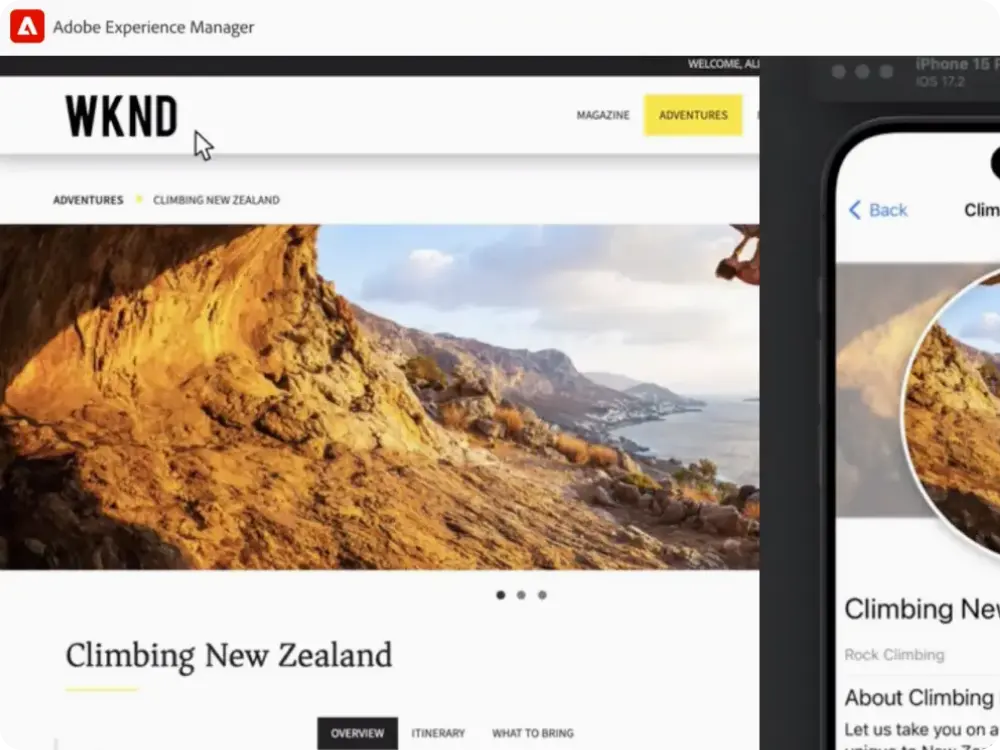
View and make changes to your content in real-time, making it easy to manage the content and experience of your digital assets. Content-as-a-Service (CaaS) makes it easy to deliver the content you want to various channels. With just a few clicks, you can set up content delivery to any device. Developers don't need to have expertise in Adobe Experience Manager Sites repository structures. Experience Manager also supports industry-standard GraphQL queries based on APIs for high-performance apps.
Choose
a content delivery language. Content is delivered in HTML or JSON format, so it can be used by all channels, including those that haven't been developed yet.
Scalable content. You can select content from Adobe Experience Manager Assets or Adobe Experience Manager Sites projects and reuse it in other projects.
Experience Fragments
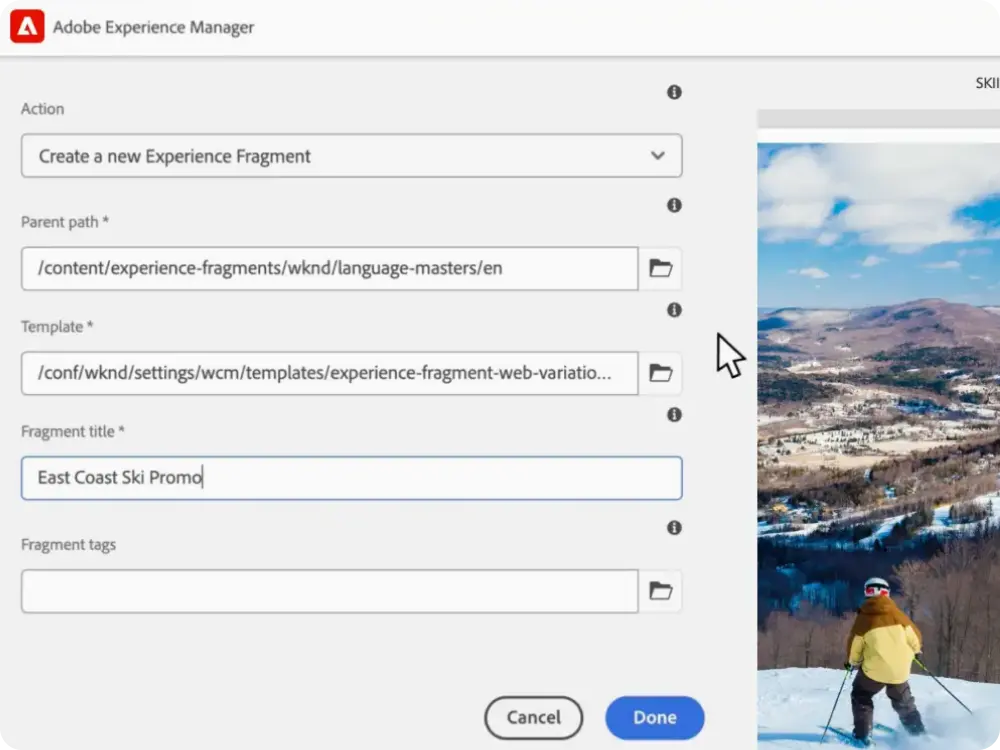
Implement a unified omnichannel customer experience. Accelerate omnichannel content management with Experience Fragments to maintain consistent messaging, design, and quality across channels. You can group content and layouts to create reusable pieces that can be published to any screen, regardless of channel. This allows you to maintain consistent messaging and layout without having to create a variety of creative assets.
Define content design and layout. You can use dedicated content or import content from content fragments, assets, and so on to use one or more components to provide a consistent experience.
Designed for multiple channels. You can transform your content in different ways without worrying about context, allowing you to focus more on delivering an enhanced experience.
Create different versions. Experience fragments can be reused, rearranged, or resized to create different versions of the design for multiple pages. This allows you to create unique pages with specific content or components.
Content Fragments
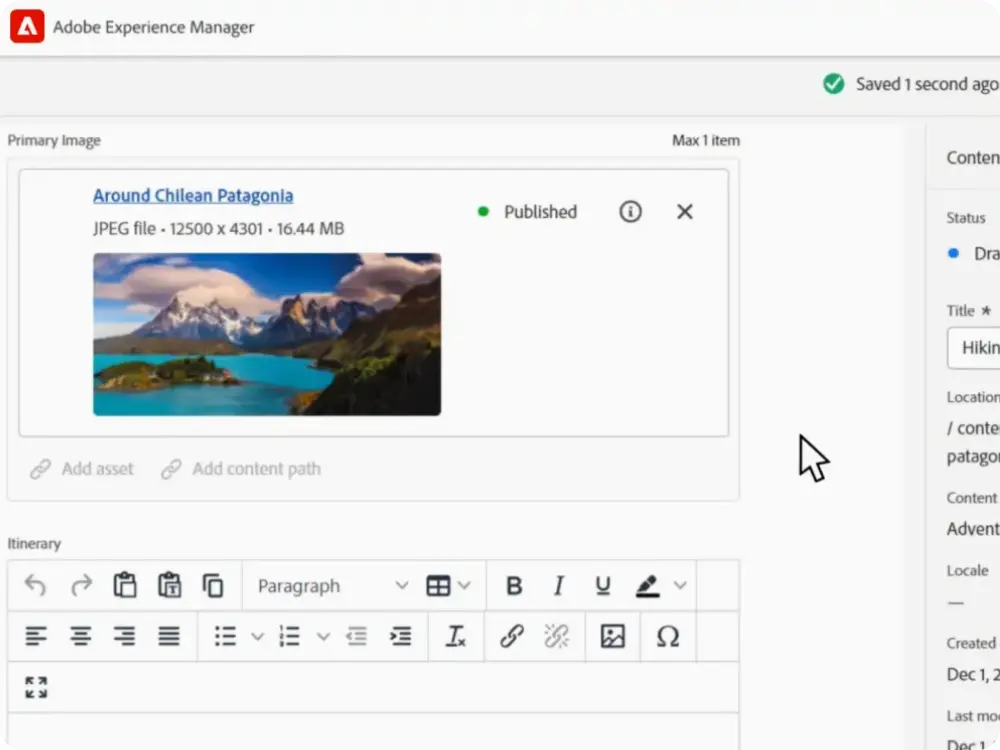
Design, create, curate, and use page-standalone text with relevant media, making it easy to reuse copies without cutting, pasting, or rewriting text.
Diversification. You can create and edit copies of your master content to use for specific channels and contexts. This allows you to produce content efficiently and organized.
Automatic editing.It can use machine learning and natural language processing capabilities to generate simple versions of content targeted to specific channels and customer segments.
Simple and structured content. You can choose between simple pieces made up of just text and images or complex pieces with structured content.
Overlapping and governance. You can maximize content reuse by using content fragmentation models that increase content relevance, and content authentication can improve content governance.
Lead generation forms
Use omnichannel forms built into Experience Manager Sites to understand visitor intent and drive conversions. Adobe Experience Manager Forms enables marketers and developers to create, manage, and optimize forms that drive business outcomes.
Fill out forms quickly. Use drag-and-drop tools and real-time editing to ensure that even complex forms are securely accessible.
Reuse forms. Create once and use them in multiple places. Use reusable components, templates, and styles to maintain brand consistency and update faster.
Data validation and integration. Securely collect data with governance tools, out-of-the-box integrations, built-in validation criteria, and more.
Omnichannel forms. Unify and manage Experience Manager Forms and Experience Manager Sites to build high-performance experiences. You can embed fast, responsive, omnichannel forms in Experience Manager Sites to deliver a unified user experience and increase conversion rates.
Omnichannel content management
Deliver a consistent and personalized experience across all digital touchpoints with omnichannel content management. Help you create a unified and impactful omnichannel customer experience on a single, centralized platform.
Create content
once, reuse it across web, mobile apps, social media, email, and more, accelerating workflows and maintaining brand consistency.
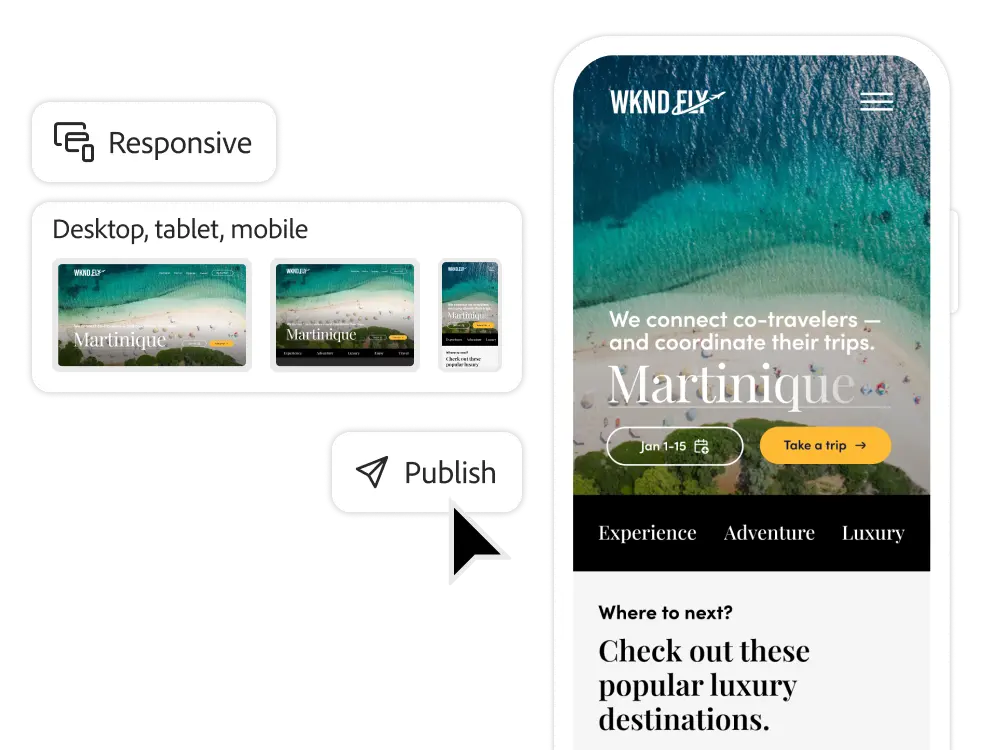
Adapts to all channels. Without the need for manual rewriting or redesign, you can deliver content that fits your audience in the right format.
Reusable content blocks. Experience Fragments allows you to categorize content and layout elements and easily reuse them in campaigns, product pages, and brand templates.
Flexible delivery. Experience Manager Sites delivers content through websites, mobile apps, smart devices, and more, no matter where your audience is.
Secure management. Protect your brand with built-in approvals, user permissions, and content tracking to ensure you can only publish approved content.
Learn more about omnichannel content management
Take advantage of a variety of learning content, including manuals, tutorials, and user guides.
Frequently asked questions about omnichannel content management
How does omnichannel content management help corporate marketing teams deliver a consistent experience?
Once you create content, you can reuse it on your website, mobile app, social, email, and more, reducing production costs and maintaining brand consistency. Built-in governance tools help protect brand integrity at scale.
What types of channels can Adobe Experience Manager Sites support?
Whether it's a website, app, IoT device, digital signage, or new channels, you can deliver content using output in HTML or JSON format to virtually any digital touchpoint. Adobe Experience Manager Sites is designed to be flexible and adaptable to today's and tomorrow's platforms.
Do marketers need technical expertise to use content-as-a-service (CaaS) content?
No, it is not. Marketers can manage and deliver content without needing expertise in repository structures. Meanwhile, developers can extend their capabilities by leveraging APIs like GraphQL, which are necessary for high-performance applications.
How does content-as-a-service (CaaS) content support enterprise scalability?
Existing assets in Adobe Experience Manager can be recycled across multiple projects, campaigns, and channels. This eliminates content breaks and accelerates launch across the enterprise.
What is the difference between Experience Fragments and Content Fragments?
Experience Fragments are a combination of content and layout elements that are optimized for delivering a consistent experience across multiple channels. Content Fragments are structured, reusable text/media components that are page-independent and ideal for modular content reuse. Together, these two can scale your content operations while maintaining flexibility and design integrity.
Can I customize Content Fragments by segment?
Yes. You can customize your message manually or by using AI-powered tools (natural language processing, automatic abbreviations) to tailor your message to specific audiences or channels.
How to integrate Adobe Experience Manager Forms with your site for lead generation?
You can create forms, style them, and embed them directly within Experience Manager sites to create a seamless customer journey. It supports governance, validation, and integration to ensure secure and compliant data collection.
Can I reuse forms in my campaign?
Yes. Once applied, templates and styling can be deployed across multiple campaigns or microsites, saving time and maintaining consistency.
How does Adobe Experience Manager ensure brand governance?
Adobe Experience Manager provides built-in approval workflows, user permissions, and content tracking. This allows you to publish only verified content, which is very useful for large enterprise teams.
Is omnichannel content transmission secure?
Yes. Adobe Experience Manager Forms and Sites protects sensitive information with secure data validation, role-based permissions, and support for corporate governance system integrations.
Where can I find the resources I need to get started with omnichannel content management?
Adobe provides documentation, tutorials, and user guides in Adobe Experience Manager Docs to help teams adapt quickly.
Get hands-on with the power of Adobe Experience Manager Sites .
Adobe Experience Manager
Benefits of Sites
Check it out.